
For Business
Viewing TORO Recovery for Businesses.
Accounts receivable software for small businesses
GET OVERDUE INVOICES ORGANIZED. KNOW WHAT TO DO NEXT.
TORO Recovery gives your business one place to track unpaid invoices, plan follow-ups, manage payment promises and disputes, and prepare an Account for a collection attorney when needed.
Start free with no credit card · Manage up to 3 active Accounts · Upgrade when you need more capacity or attorney access
How it works
A practical accounts receivable workflow from invoice to resolution.
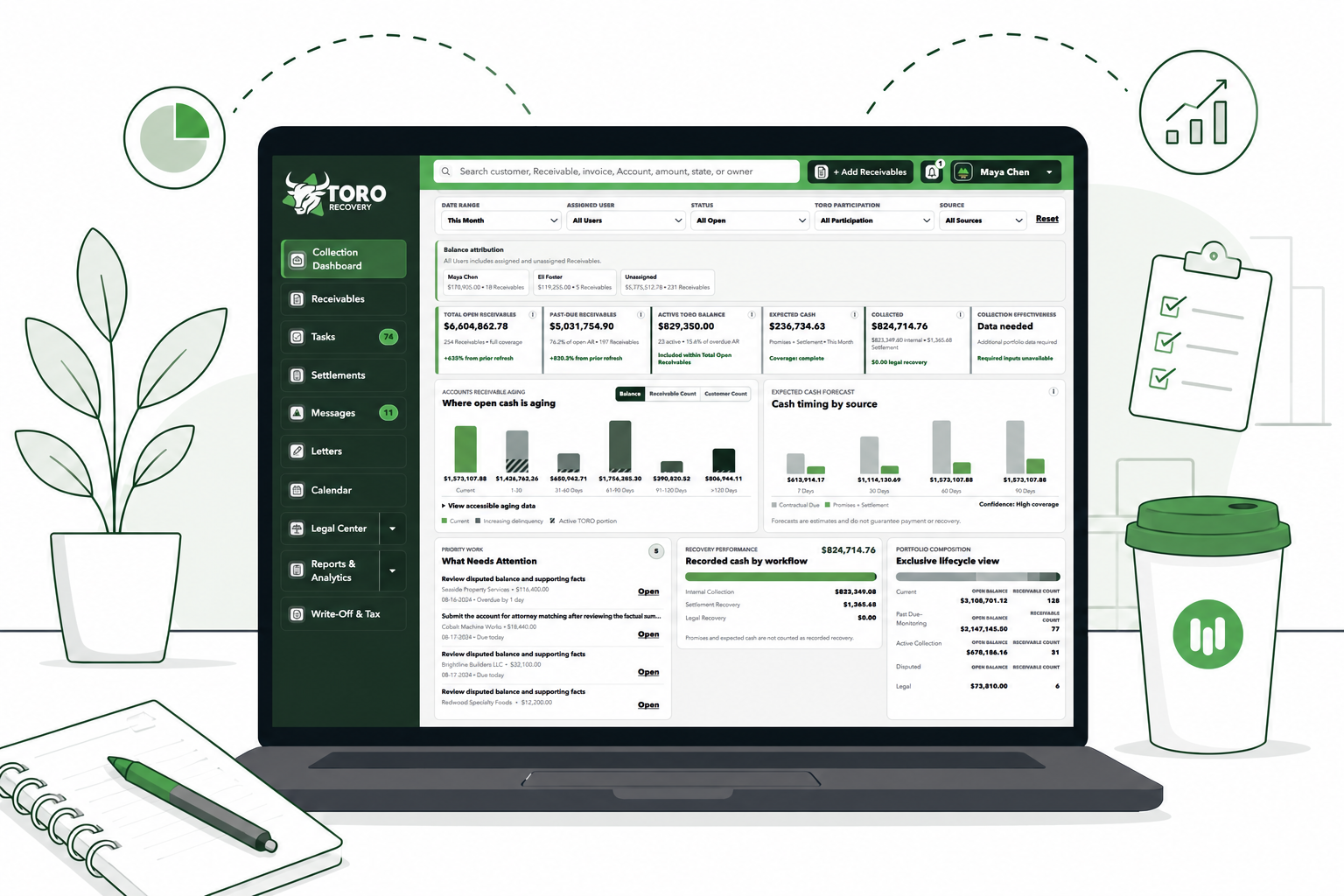
Instead of juggling spreadsheets, inboxes, calendars, and folders, keep each Account’s balance, contacts, documents, follow-ups, payment arrangements, and history together. Your team can quickly see what happened and what needs to happen next.
- 01

Add your unpaid invoices.
Enter one Account, upload an invoice to fill in the basics, or import a spreadsheet when you have several Accounts to manage.
- Customer and contact details
- Invoice balances and due dates
- Documents, disputes, and assigned owner
- 02

Prioritize overdue Accounts.
Use the dashboard, accounts receivable aging report, Tasks, and Calendar to see which balances and follow-ups need attention first.
- Past-due balances by age
- Work due now or coming soon
- A clear next action for each Account
- 03

Send clear payment reminders.
Prepare professional, editable collection letters with the right Account details already included. Nothing is sent until a person reviews it.
- Friendly reminders and demand letters
- Saved Account details and document history
- Company-branded letterhead on Starter and higher
- 04

Track promises, disputes, and plans.
Record what the customer promised, when money is due, what is disputed, and what your team needs to check next.
- Promises and payment schedules
- Disputes and missed-payment follow-up
- Settlement Plan tracking on Starter and higher
- 05

Choose when to involve an attorney.
You can ask for attorney help at any time. TORO Recovery organizes the Account and lets you choose eligible firms without forcing you to finish every internal step first.
- A simple readiness checklist
- Eligible collection attorneys nationwide
- Attorney Bundles where eligible
- 06

Follow the Account in one place.
Keep authorized messages, document requests, decisions, and attorney updates tied to the same Account record.
- Account-specific communication
- Recorded approvals for important decisions
- A complete Account and Engagement history
See the complete process before you start.Review every step, compare plan features, and understand what TORO Recovery does—and does not do.
Read the Complete How It Works GuideSmall-business collection tools
Handle accounts receivable follow-up without another spreadsheet.
Document Generator.
Create editable payment reminders, demand letters, payment-plan documents, and attorney summaries.
Accounts Receivable Workspace.
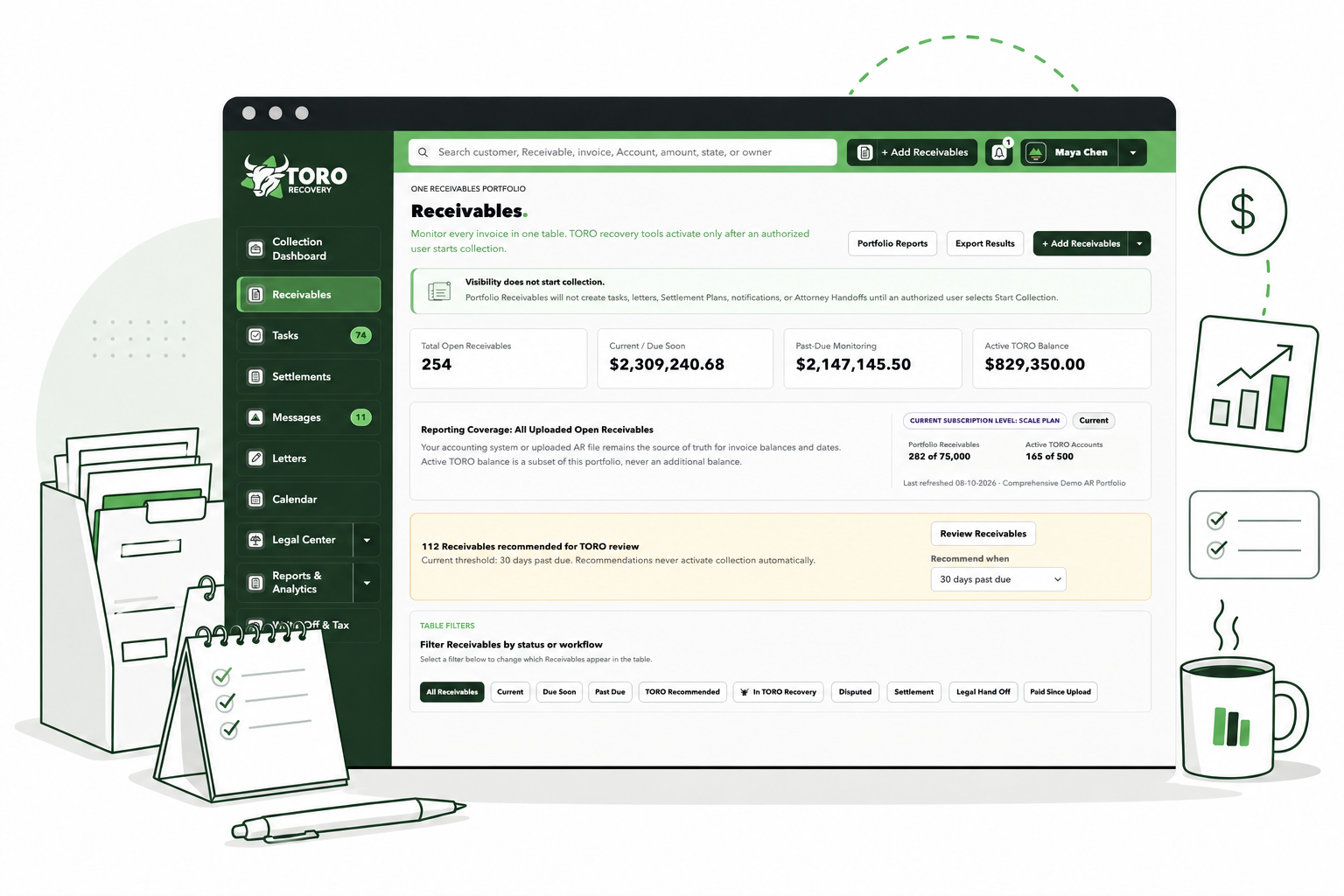
See who owes you, how much is past due, what happened last, and what your team should do next.
Follow-Up Plan.
Schedule calls, payment reminders, and check-ins so an overdue invoice does not get forgotten.

Attorney Handoff.
Organize the facts and available documents before you ask a commercial collection attorney to review the Account.
If you are comparing invoice collection software, start with the free workspace. Consistent follow-up may help your business work toward reducing days sales outstanding; TORO Recovery does not guarantee payment or recovery.
For businesses
Accounts receivable management built for a busy owner.
See outstanding balances, prepare payment reminders, schedule follow-ups, track what customers promise, and decide when an Account should move to attorney review.
Documents branded with your company logoAvailable with Starter and higher. Professional text-only letterhead remains available on Free.
Founding Business Pricing20% off Starter, Growth, or Scale for your first 12 months.Standard prices and renewal amounts are clearly shown before checkout. Eligibility rules apply.
Nationwide Attorney Network
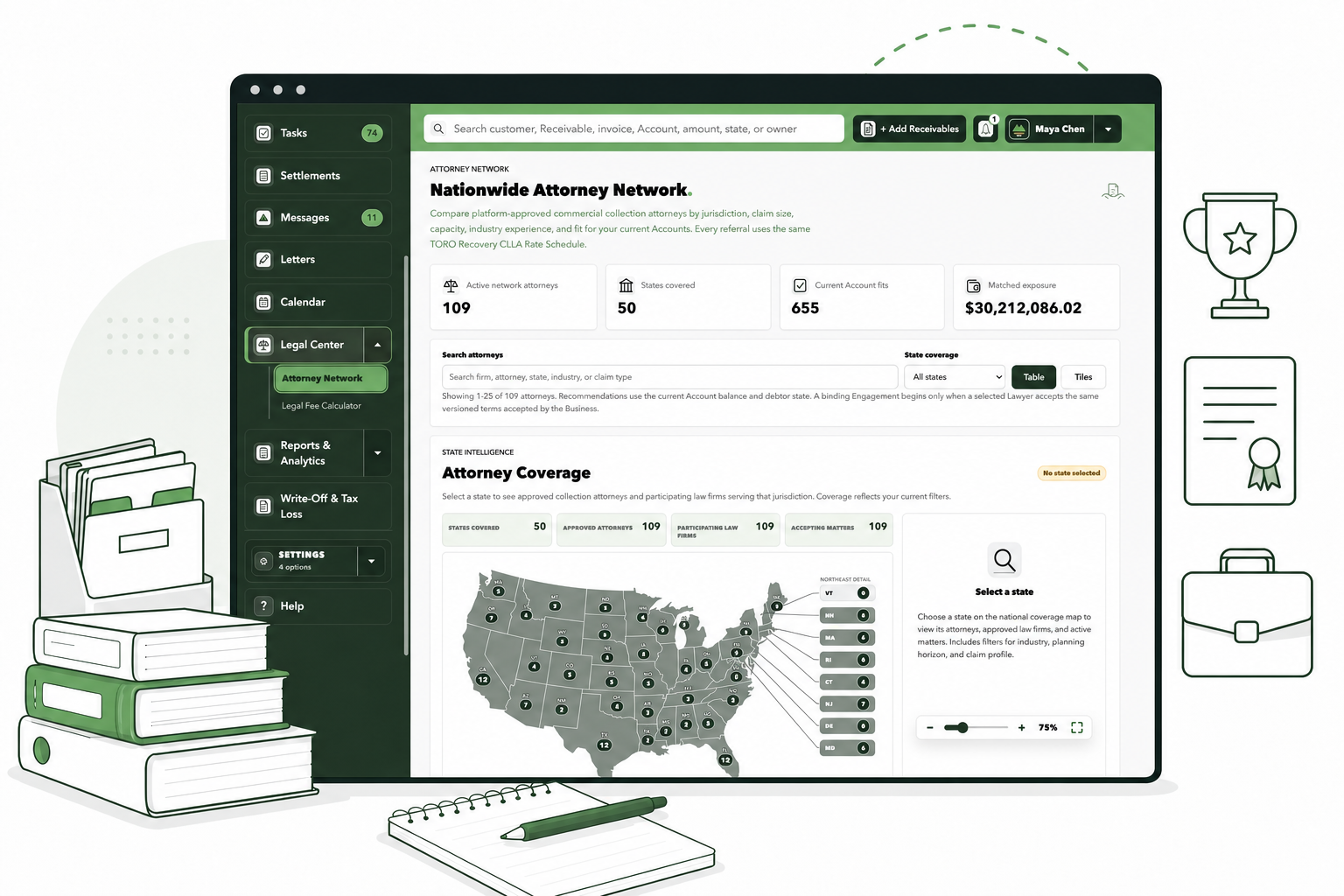
When an overdue invoice needs legal help, the handoff is already organized.
If payment reminders and follow-ups are not enough, compare eligible commercial collection attorneys by location and Account fit. You choose which firms may review the opportunity.
Compare eligible attorneys by state, claim size, industry experience, and current capacity under one transparent TORO Recovery CLLA Rate Schedule.See where attorney coverage is available before you submit an Account.Keep the Account facts, available documents, and your selected firms together during the handoff.Settlement Plans
Turn an agreement into a payment plan you can actually manage.
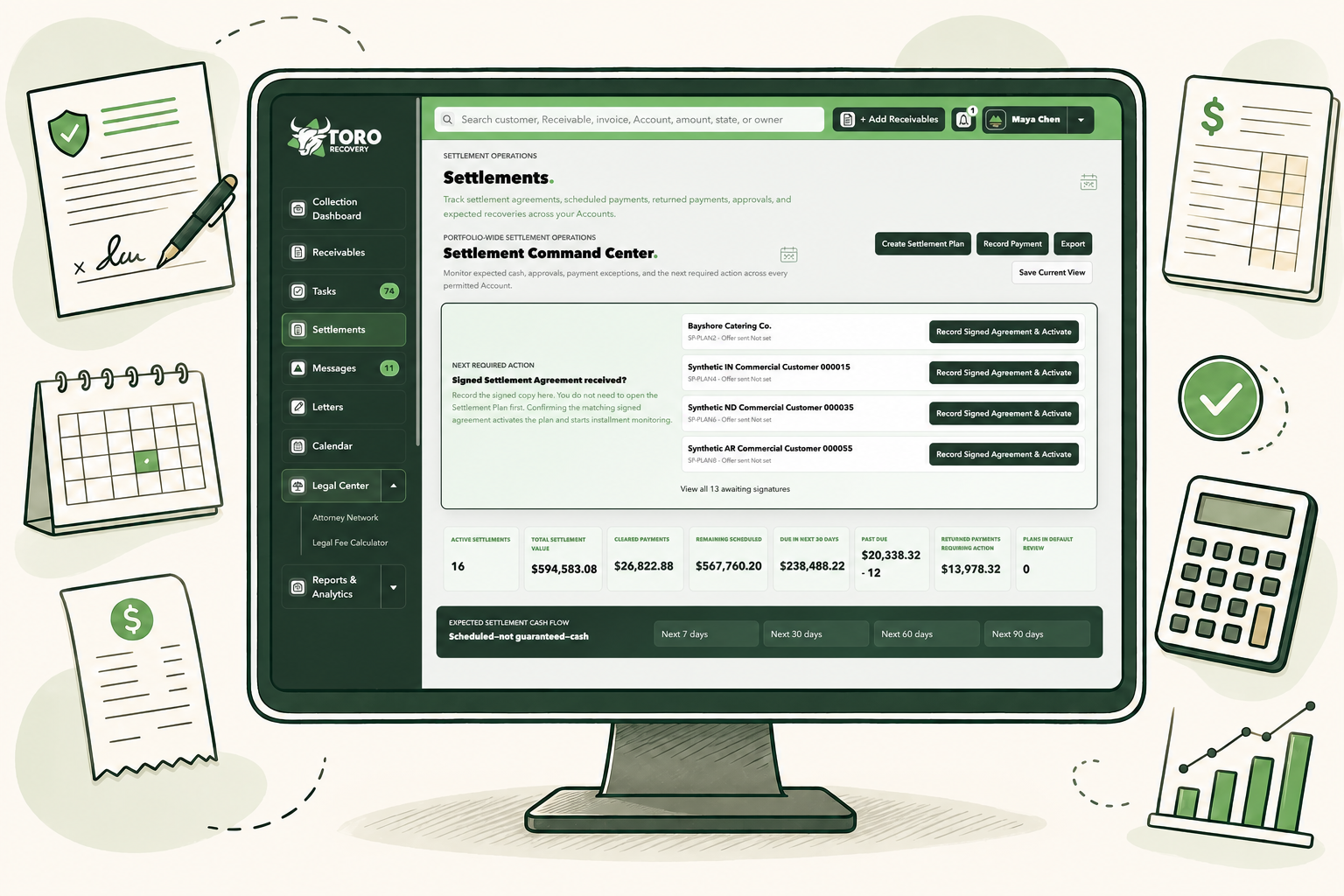
Create a professional settlement agreement, organize every scheduled payment, record money received, handle returned payments, and see the current balance—all from the subject Account.
Create the Plan.
Build lump-sum or installment settlements with down payments, recurring schedules, custom dates, grace periods, and clearly documented terms.
Generate the Agreement.
Preview, print, download, or send a professional Settlement Agreement directly from the Account after your review.

Track Every Payment.
See scheduled installments, received and cleared amounts, pending payments, returned payments, and the current settlement balance.
Handle Payment Problems.
Record NSF, closed-account, stop-payment, chargeback, and other returned-payment events without erasing the original transaction history.
Print a Current Statement.
Generate a current statement with the transaction ledger, running balance, next payment, and remaining settlement amount.
Keep the Account Synchronized.
Keep settlement activity connected to the Account timeline, Tasks, documents, calendar, notifications, and reporting.
From signed agreement to final payment, everything stays connected to the Account.No separate spreadsheet, disconnected payment ledger, or hunt for the latest agreement.
Settlement Plan management is available with Starter and higher.
Settlement terms, agreements, and default decisions require Business review. TORO Recovery provides workflow and recordkeeping tools, not legal advice.
You stay in control
Important actions require a person’s review.
Business-to-business commercial accounts onlyNo documents sent without user reviewAttorney engagement remains a separate written agreementFrequently asked questions
Questions small-business owners ask before getting started.
Straight answers about accounts receivable management, overdue invoice collection, payment plans, and attorney handoff.
TORO Recovery is accounts receivable software for U.S. businesses that sell to other businesses. It gives you one place to manage overdue invoices, follow-ups, payment arrangements, disputes, documents, and attorney handoff when needed. Explore Business Features.
It is for business-to-business invoices—money one business owes another business. It is not designed for consumer debts.
No. Keep using your accounting system for invoicing and bookkeeping. TORO Recovery helps with the work that starts when an invoice needs follow-up: reminders, Tasks, payment promises, disputes, documents, reporting, and attorney preparation. Direct accounting connections are not yet available.
You can type in one Account, upload an invoice and review the details TORO Recovery fills in, or import several Accounts from a CSV or Excel spreadsheet. .
TORO Recovery prepares editable payment reminders, demand letters, payment-plan documents, and attorney summaries. A person must review and approve every document. TORO Recovery does not automatically send generated communications. Try the Free Letter Generator.
No. TORO Recovery helps organize collection work and prepare documents. It does not give legal advice or replace a qualified attorney.
That decision belongs to your business. You may want attorney review early because of the amount, a dispute, a deadline, or the customer’s response. TORO Recovery helps organize the facts and show eligible firms, but its dates and readiness indicators are not legal advice or a decision about the strength of a claim.
You review the Account, confirm which documents are available, choose eligible attorneys, and approve what may be shared. Each firm runs its own conflict and fit review. An attorney’s interest is not the same as hiring the firm; the Engagement must be confirmed separately in writing.
No. A lawyer can see only the opportunities, active Engagements, messages, and documents that your business has specifically authorized that lawyer to view.
Access is limited by business, user role, Account, and Engagement. New uploads stay inside your Business workspace until an authorized user reviews and shares them. Sharing and download activity is recorded.
Yes. Once an Engagement is active, your business and the law firm can keep messages, document requests, updates, shared files, and approval requests with the correct Account.
Yes. Important decisions use a clear approve-or-reject step and are saved in the activity history. A casual message is not treated as formal approval.
Yes. An administrator can invite team members and choose what each person may see or change. Available roles include Business Administrator, Business Manager, Business User, and Read-Only Business User.
Yes. You can record what a customer promised, document a dispute, create a Settlement Plan, track installments, and schedule the next follow-up. TORO Recovery tracks the work but does not process the payment itself.
No. Payment processing is not currently implemented. Authorized users can record payments, promises, and Settlement Plan activity after they happen.
Open the Business signup form, add your company and administrator details, and verify your email. .
Business and Lawyer users sign in from the same TORO Recovery login page. .
Take the next step
Put your next overdue invoice into a clear collection workflow.
Create a free Business workspace, or prepare one professional letter with the free Document Generator.
 Try the Free Business Tool